Reviewers overwhelmingly had a great experience with this company. Customers are particularly satisfied with the products offered, highlighting their quality, user-friendly design, and the value for money they provide. Consumers appreciate how these tools simplify complex tasks, making them quick and easy to use. People also value the innovative features and the ability to achieve professional-sounding results efficiently. The positive user experience extends to the overall functionality and performance of the plugins. Reviewers find them intuitive and effective for various stages of music production. Customers also appreciate the clear and informative tutorials provided, which help both beginners and advanced users explore the full potential of the software. The company's commitment to innovation and customer support further enhances the positive perception.
PS Logo
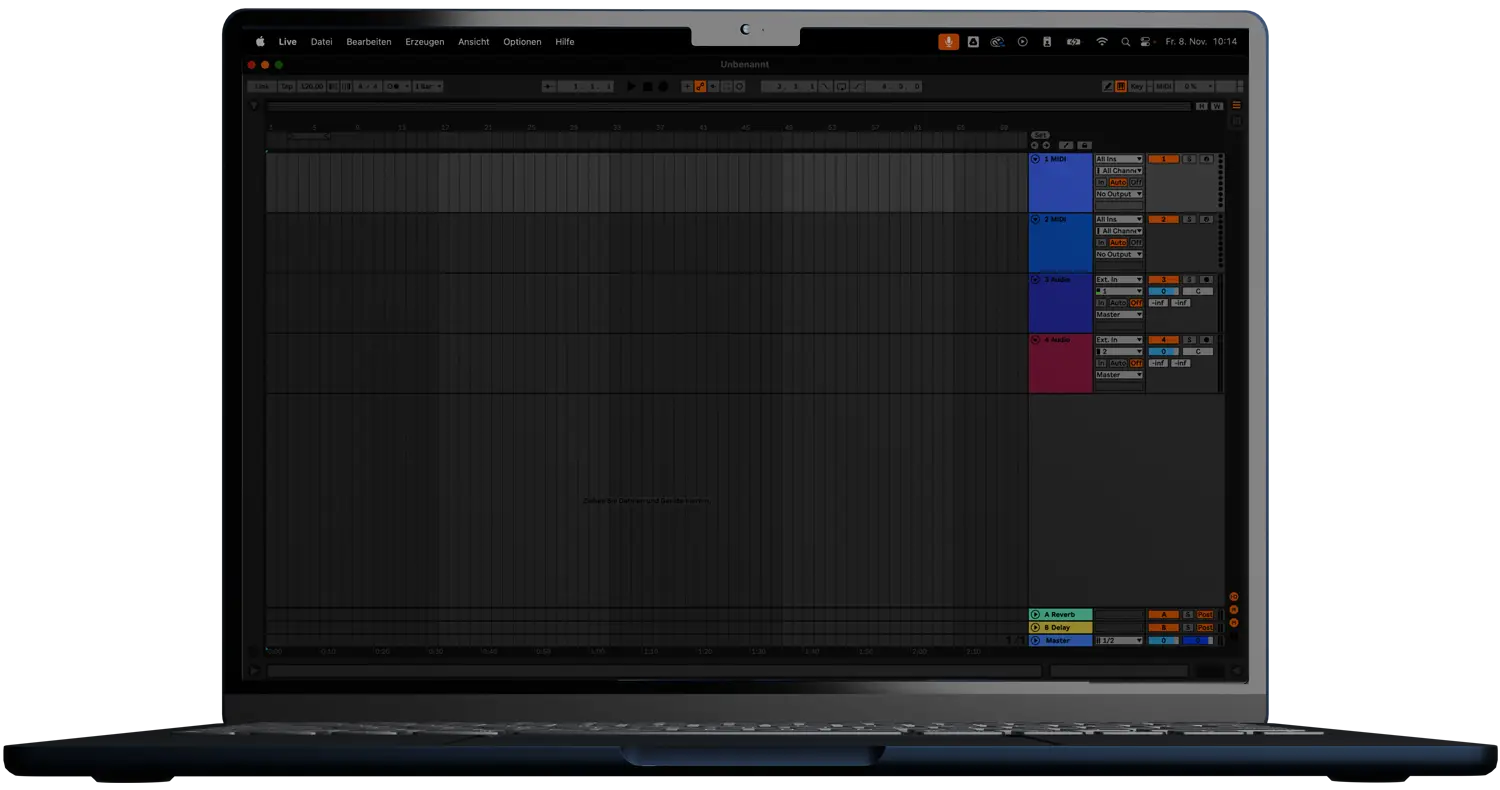
laptop
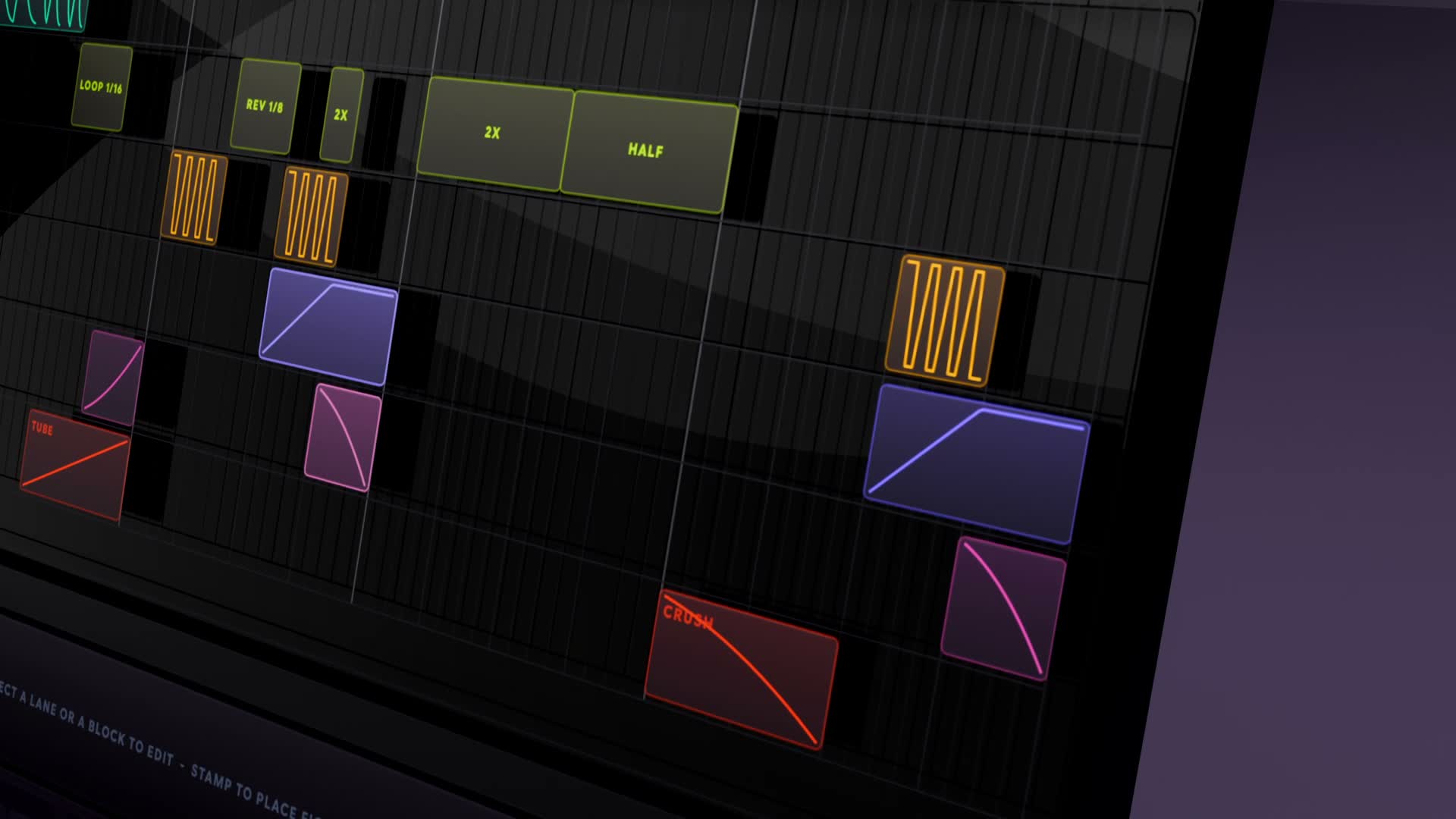
product image on laptop

THE_SHAPER 2

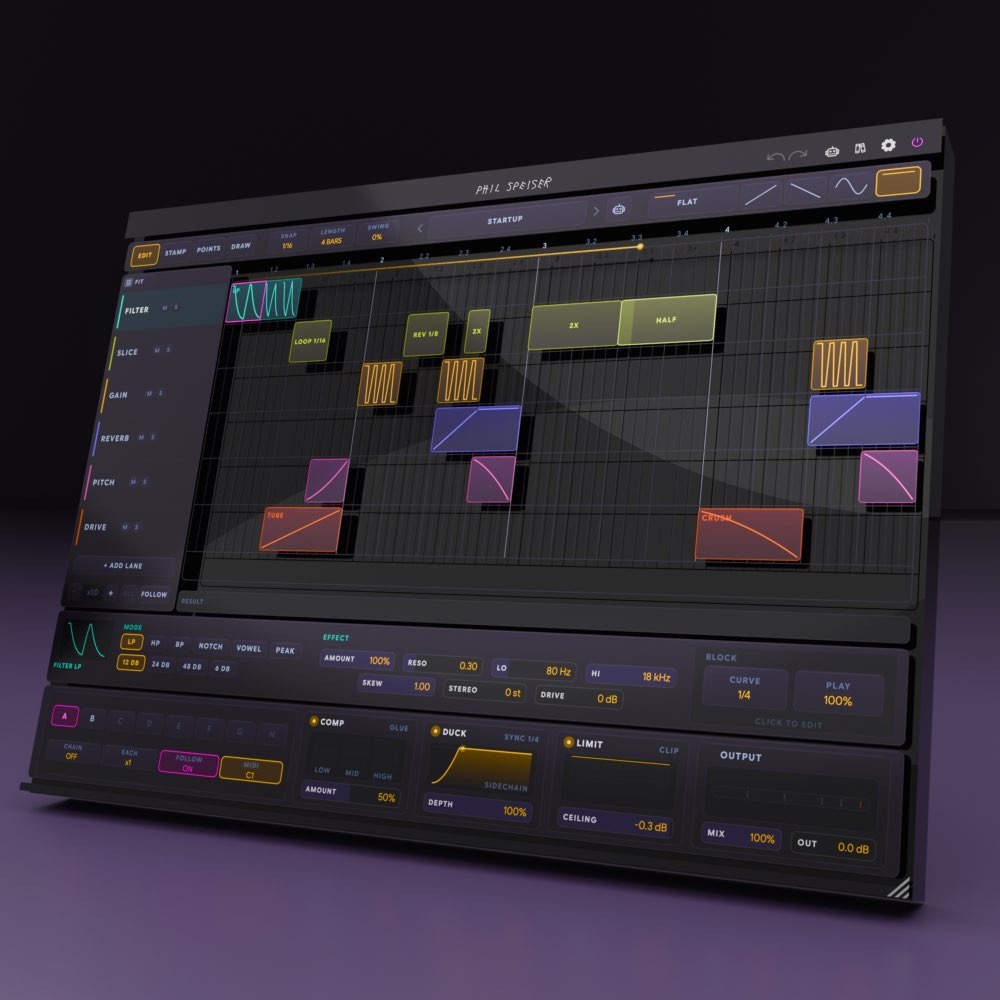
DRAW YOUR EFFECTS ONTO A GRID.

LIMITED INTRODUCTION OFFER

Video placeholder

LANE. BLOCK. CURVE.

WHAT USED TO TAKE AN AFTERNOON NOW TAKES FIVE MINUTES.

A gate. An auto-panner. A filter. A reverb. A pitch shifter. A beat repeater. A distortion. A chorus. Then a multiband compressor, a sidechain pump and a limiter to hold the whole thing together.

That's eleven plugins and twenty automation lanes — just to stop eight bars from feeling static.

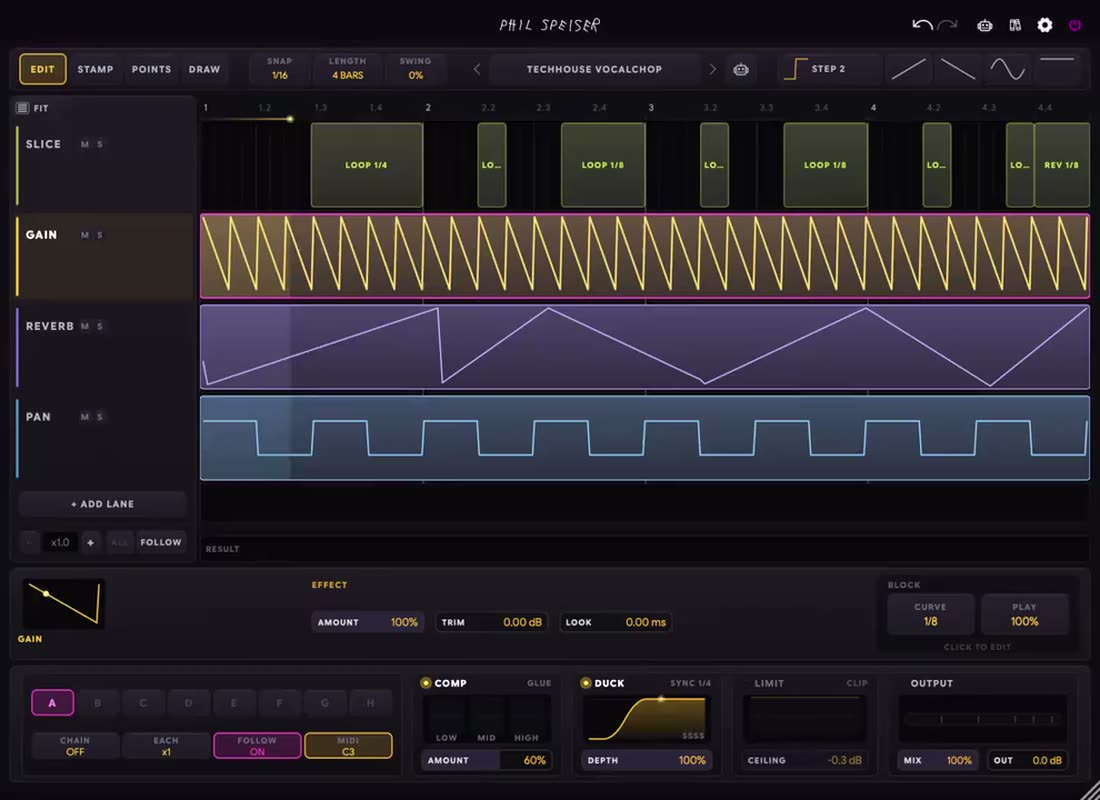
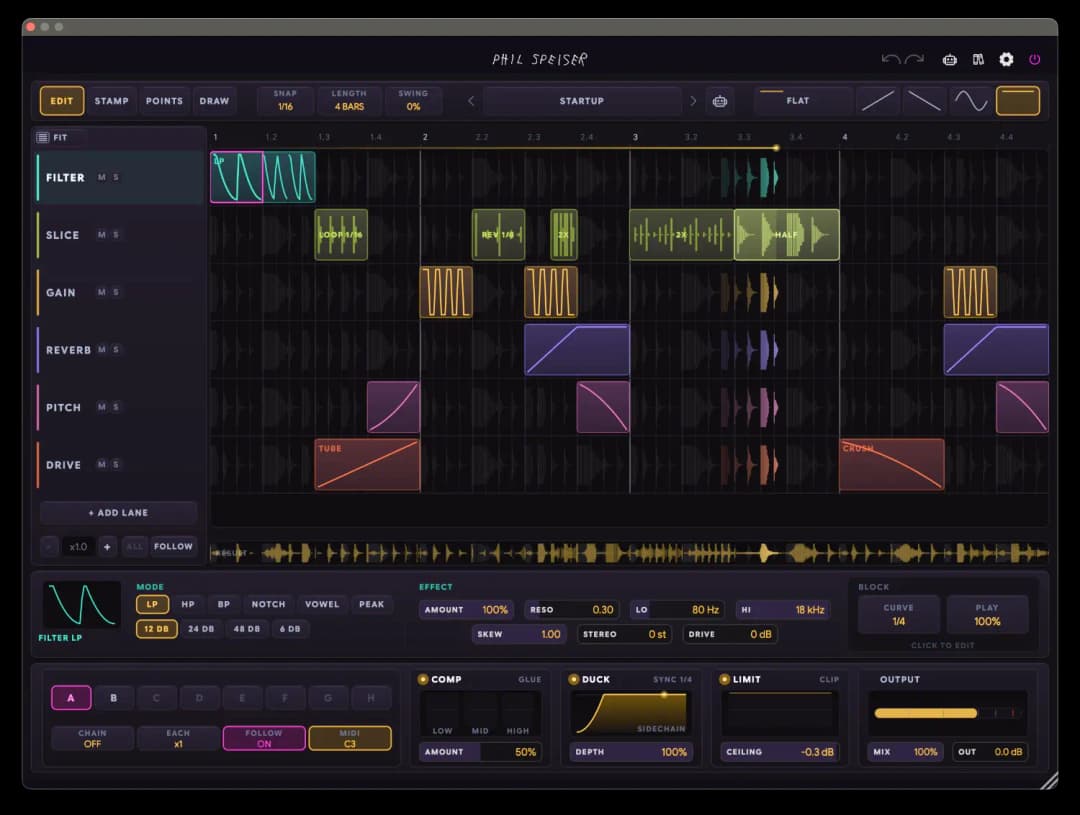
THE_SHAPER 2 is one screen instead. Lanes are effects. Time runs left to right. You draw a block to say when an effect happens, and you draw a curve inside it to say how.

Drop a loop in. Draw a gate. Add a filter sweep on the second bar. Slice the last beat into a stutter that pitches down as it goes. That's the entire instrument in three words: lane, block, curve.

YOU DRAW THE EFFECT. YOU DON'T AUTOMATE IT.

A block is a decision — distortion here, for half a bar, sweeping in. No automation lanes, no host dependency, no hunting for the right envelope. Drag it, resize it, ALT-drag to copy it, carry it to another lane with an arrow key.

Eight effects share one timeline, one clock and one pattern, so everything you draw stays locked to the music. And outside its blocks, a lane does nothing at all.

YOU DRAW THE EFFECT. YOU DON'T AUTOMATE IT.
THE CURVE MEANS THE MUSICAL THING.

THE CURVE MEANS THE MUSICAL THING.

On GAIN the curve is volume. On FILTER it's openness. On REVERB it's send level. On PITCH it's semitones. You're never translating "0.7" into anything — you draw the shape you want to hear, and AMOUNT decides whether it's a whisper or a slam.
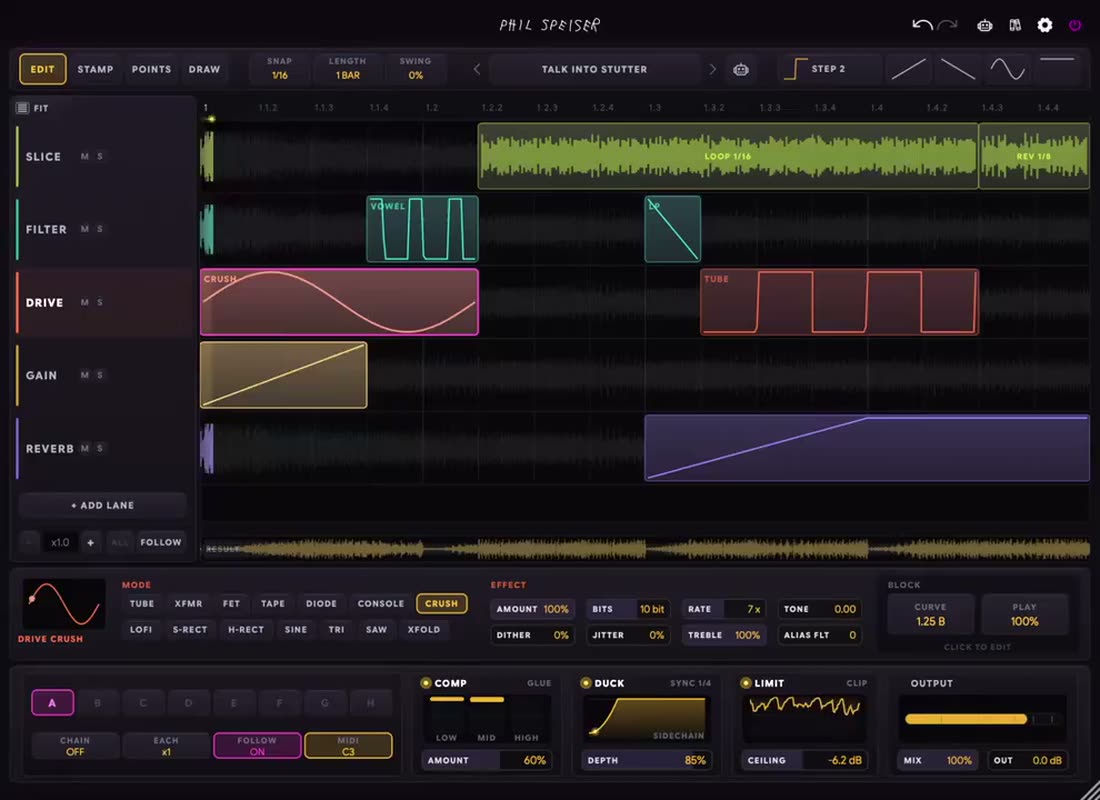
Sketch it freehand, stamp it from a library of around 50 figures, or shape it point by point with pencil, line, step and shape tools. Because a curve has a musical length, one gate you draw at 1/16 re-tiles perfectly into a block of any width.

EIGHT EFFECTS. ONE TIMELINE.

GAIN, PAN, FILTER, REVERB, PITCH, SLICE, DRIVE and MOD. Stack up to eight lanes and drag them into any order — a filter above a distortion is a different sound from a distortion above a filter.

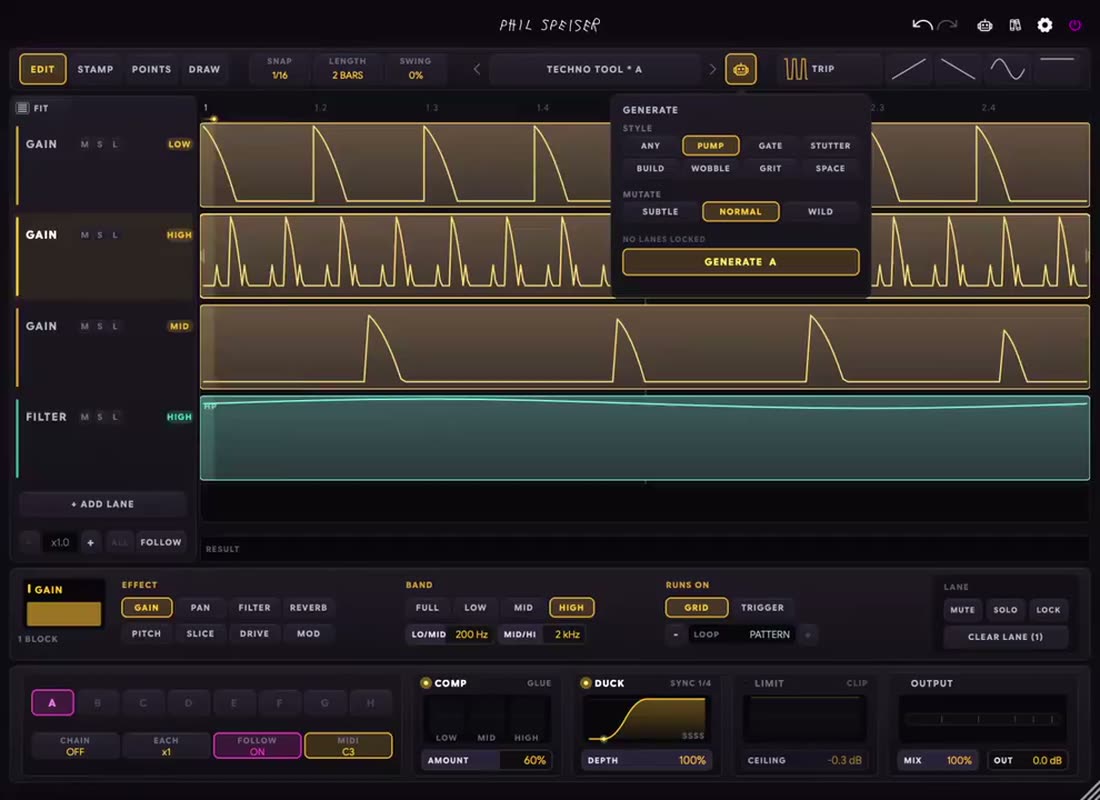
Any lane can act on the low, mid or high band only, so you can gate just the top while the bass stays solid. And any lane can stop following the grid entirely and fire off the actual kick instead.

EIGHT EFFECTS. ONE TIMELINE.
AN 8-BAR ARRANGEMENT THAT WRITES ITSELF.

AN 8-BAR ARRANGEMENT THAT WRITES ITSELF.

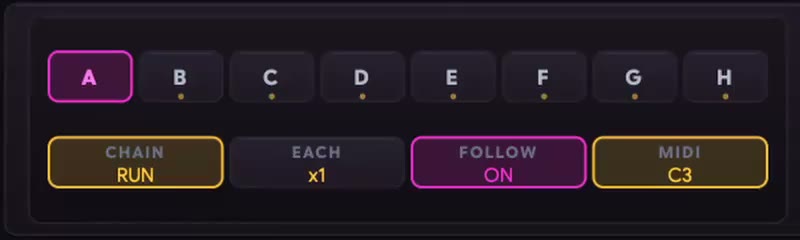
Eight complete patterns per patch, switching on the next bar so a change always lands musically. Turn CHAIN on and the filled slots play in order — and because the route is locked to your host timeline, you can jump anywhere in the song and it's already exactly where it should be.

Prefer to perform it? Play the slots from your keyboard. Pattern switching becomes part of the arrangement instead of a mouse move.

A MASTER SECTION UNDER THE WHOLE GRID.

A 3-band compressor to glue it. A global DUCK for the pump — grid-synced, or fired by an actual kick on the sidechain. A limiter to catch the spikes a heavy patch throws. And a global MIX that blends the entire instrument back against your untouched input.

Build the patch at 100% until it's exciting, then pull MIX back to 60–70% and it'll sit in the mix instead of taking it over.

A MASTER SECTION UNDER THE WHOLE GRID.
GAIN
The gate, the pump, the chop. Trance gates, tremolo, stutter chops and manual sidechaining. TRIM gives you transient boosts, and LOOK closes the gate a couple of milliseconds early so a hard step lands clean instead of clicking — at no latency cost
PAN
Movement across the image, with stereo WIDTH before the pan, four pan laws, and HAAS to blend level panning into delay panning — the trick that moves a mono drum across the field without losing any level
FILTER
A filter you draw. LP, HP, BP, NOTCH, VOWEL and PEAK, with drive into the resonance, a stereo cutoff split, and a SKEW control that spends more of your curve down low where the ear notices most. Past 1.00 the resonance sings and the filter becomes a playable oscillator
REVERB
A reverb whose send you draw, up to a six-second tail. RING lets it ring on past the block like a real room; CUT clears it so nothing bleeds into the drop. Pre-delay, damping, wet-only filters and independent tail width included
PITCH
Tape stops, falling 808s, octave-up stabs and a quarter-tone of drift. TAPE moves pitch and time together at zero latency; GRAIN keeps a transposed block in time. Formants can ride the pitch or hold still so a voice keeps its character
SLICE
The beat-repeat lane. Loop, reverse, half speed, double speed — or TIME mode, where your curve becomes a read position in the captured audio, so stutters, tape stops and vibrato all come out of one drawing. Per-repeat pitch, decay and declick turn a stutter into a fill that lands
DRIVE
Distortion with a shape. 14 modes across analogue clippers (tube, transformer, FET, tape, diode, console), digital destroyers (bit crush, lo-fi) and wavefolders. PUSH generates the warm even harmonics; GRIP keeps the dirt on the hits and off the room tone
MOD
Chorus, flanger, phaser and comb. Your drawn curve is either the intensity or the LFO itself — which means a jet flange that is locked to the bar instead of drifting, something no free-running LFO can do
Four Tools
EDIT to move and resize, STAMP to paint a loaded figure across the grid, POINTS to shape a curve node by node, and DRAW to sketch a stroke that becomes a block carrying exactly that shape
~50 Factory Figures
Ten categories of curve shapes — sidechain, gates, steps, LFOs, exponentials, S-curves, envelopes and pulses — with your favourites one click away in the header
Eight Pattern Slots
Eight complete patterns per patch, 1–8 bars each, bar-quantized switching, MIDI note select, and a CHAIN that is a pure function of your host timeline
Polymeter For Free
Every lane has its own loop length. Set the pattern to 4 bars and one lane to 3 beats and they will not repeat identically for twelve bars
Swing And Snap
Blocks follow the swing and so do the curve repeats inside them — match your DAW's groove and the instrument locks to the track instead of fighting it
CHANCE And Cycle Conditions
Play a block 40% of the time, or only every fourth pass. Keep the foundation at 100% and put the randomness on the accents — that's the difference between alive and broken
71 Factory Presets
Rhythmic, glitch, filter and texture. Step through the whole library with the arrows while your loop plays and stop when something grabs you
GENERATE
Builds a whole pattern in ten seconds. It doesn't roll dice — it starts from real authored material in the style you pick, keeps the musical arrangement of where activity happens, and applies bounded mutations. Eight styles, three mutation depths, one undo step
3-Band Compressor
One AMOUNT macro walks all three thresholds together, with GLUE, PUNCH and SQUASH characters and per-band offsets. Placed ahead of the duck on purpose — glue first, pump second
Global DUCK
One gain curve under the entire grid. Pick any shape, sync it to the beat grid for the classic house pump, or switch to TRIG and let it follow the actual kick on your sidechain
Limiter
A fast, zero-latency clipper by default, or true lookahead brickwall when you want it, with soft/hard shapes and transformer, tube or tape character on the way in
Global MIX
The whole instrument in parallel against your dry input — blended after the master section, delay-aligned so it stays phase-correct at every setting, and automatable in your DAW
Shared Crossovers
The band a lane filters is the band the compressor controls, so LOW means the same thing everywhere
Audio Trigger
A transient detector on the sidechain bus or the plugin's own input, with sensitivity and a band-limited detector so a kick trigger doesn't also hear the hats
Zero Latency
Nothing delays your audio unless you deliberately switch the limiter's lookahead on. It stays playable live
Bit-Clean Passthrough
An empty grid, a muted lane, a gap between blocks — the audio passes through untouched. This is a device you can leave inserted
Built For Deep Work
Full undo/redo everywhere, a resizable UI, fullscreen curve editing, multilingual tooltips in English, Deutsch, Français, Español and Italiano, in-app documentation and an AI assistant
VST3, AU, AAX, Standalone
Mac (Apple Silicon and Intel) and Windows, with MIDI input and a sidechain bus

A DEVICE YOU CAN LEAVE INSERTED.

An empty grid passes your audio through untouched. So does a muted lane, and so does every gap between blocks. Nothing here delays your signal unless you deliberately ask the limiter to look ahead.

Which means THE_SHAPER 2 doesn't have to be a decision you commit to. Put it on the loop, draw one gate, and see what happens.

LIKE NETFLIX BUT FOR MUSIC PRODUCTION

Gain access to countless hours of tutorials and masterclasses where I share in-depth knowledge to elevate your music production skills to a new level. I'm also releasing more and more AI-supported tutorials, allowing you to ask questions in real-time as you watch the videos.

Left Image

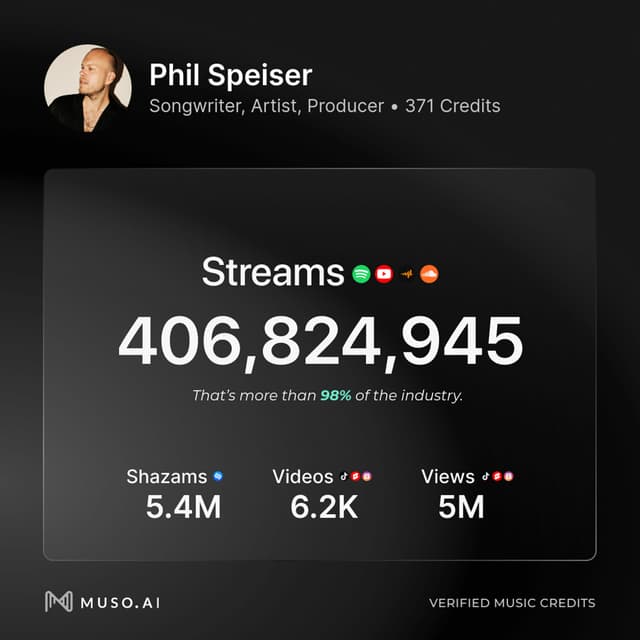
If I was able to make records that amassed to hundreds of millions of streams using my sounds and tools…

...you can do it too!

Right Image

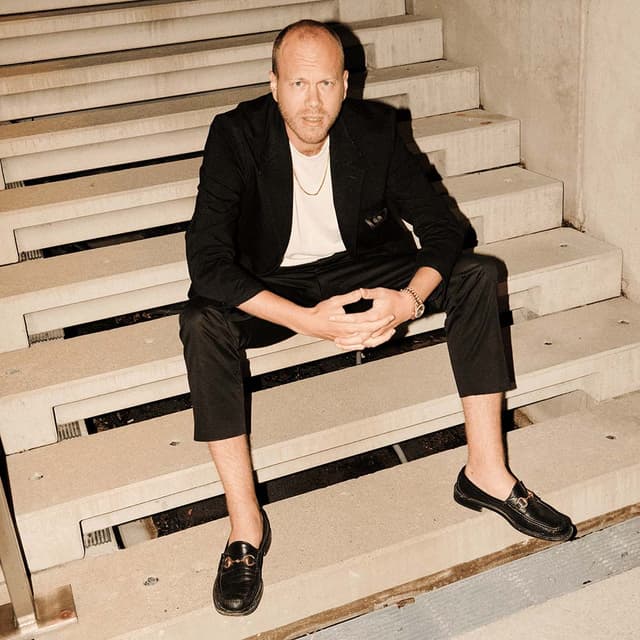
I had the honor of touring the world, performing for millions, and producing several top 10 records. Now, everything I learned on that journey is yours.

Loading TrustPilot data...

FL STUDIOGarage BandLiveLogicProToolsCubaseBitwigBitwigBitwig

WORKS WITH ALL MAJOR MUSIC SOFTWARE

MAC (Intel or M-Processors) | WINDOWS

VST3, AAX, AU

Frequently Asked Questions

THE_SHAPER 2 works with any music software hosting VST3, AAX, or AU plugins—like Ableton Live, Pro Tools, FL Studio, Logic, GarageBand, Cubase, and Reaper. Both Windows and macOS (including M1 and higher) are supported.

Almost everything. The original gave you six modes, one at a time. THE_SHAPER 2 is a full grid: eight effect lanes stacked on one timeline, each with its own blocks, curves, band assignment and loop length. On top of that you get eight pattern slots with a timeline-locked chain, a master section with compressor, duck and limiter, per-block chance and cycle conditions, four drawing tools, 71 presets and a pattern generator. It went from an effect with modes to an instrument.

No — that's the whole point. You never touch an automation lane or think about your host. You draw a block where you want something to happen and a shape for how it should move. The curve always means the musical thing: volume on GAIN, openness on FILTER, semitones on PITCH. Nothing to translate.

Then don't. Step through 71 factory presets with the arrows while your loop plays, or hit GENERATE and get a whole pattern in ten seconds. The generator starts from real authored material rather than random numbers, so the results play like music. Press it five times, keep the one that makes you look up, then edit it.

Zero, unless you deliberately switch the limiter's lookahead on — and your host compensates for that. Everything else, including the gate lookahead that keeps hard steps from clicking, is free, because it reads the curve ahead rather than the audio. Leave lookahead off and it stays playable live.

Yes. The master row alone — 3-band compressor, duck, limiter and output — is a full bus chain, and the global MIX blends the whole instrument against your untouched input, phase-correct at every setting. Just remember that an empty grid is bit-clean, so it costs you nothing to leave it there.

You get eight slots per patch and switches land on the next bar. Turn CHAIN on and the filled slots play in order, with x1 to x8 repeats each. The route is a pure function of your host timeline, so you can locate anywhere in the song and the chain is already correct. You can also select slots by MIDI note and perform them from your keyboard.

VST3, AU, AAX and Standalone, for Mac (Apple Silicon native and Intel) and Windows. It takes MIDI input for pattern selection and has a sidechain input for the audio trigger.

I'm super confident you'll love THE_SHAPER 2, but if you discover it's not the perfect fit within 30 days of purchase, just reach out. I'll handle a smooth license transfer and give you a full refund—no hassle.
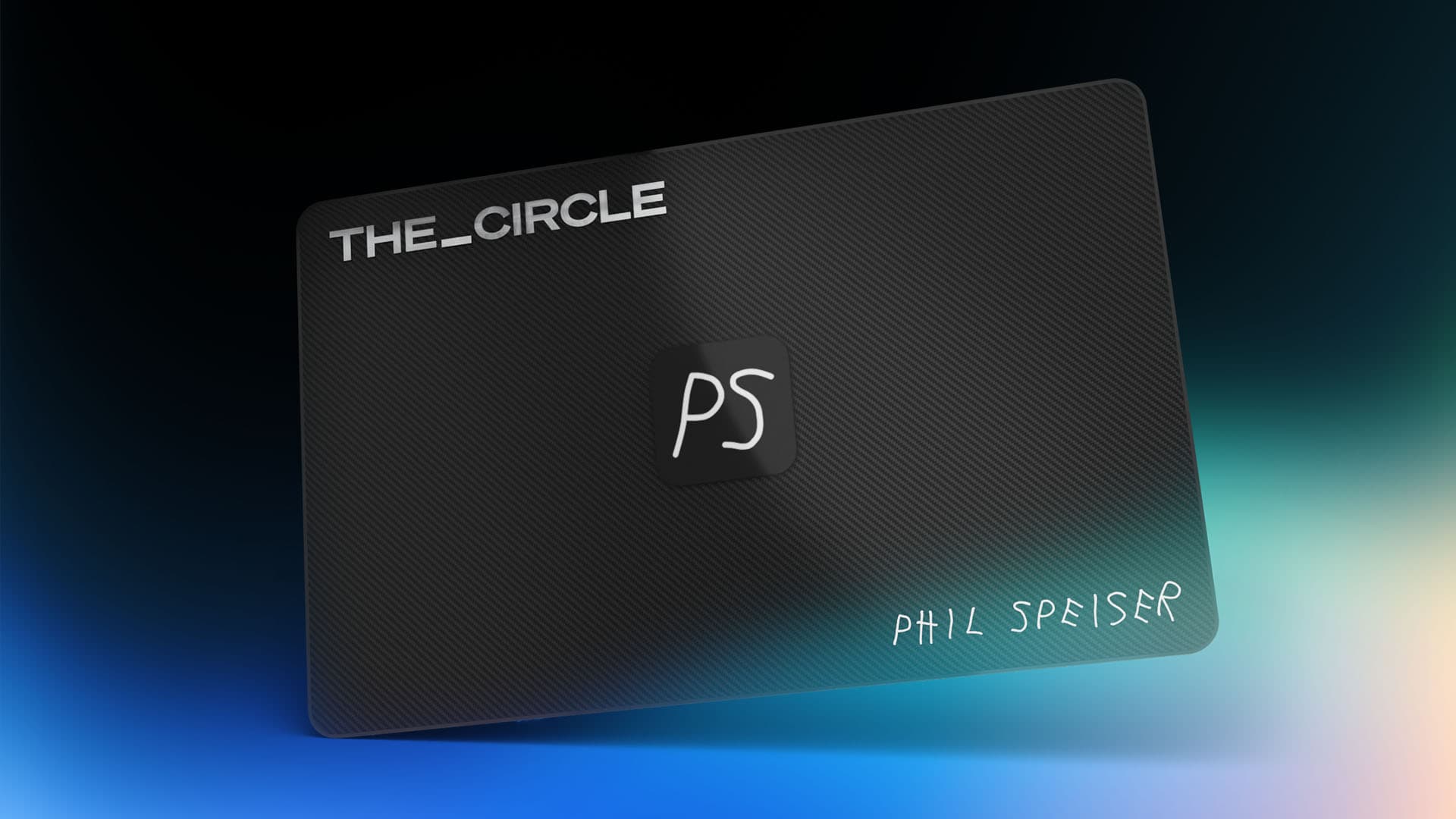
Left Image

You want it all and more?

JOIN

Left Image

THE_CIRCLE is your all-access pass to my entire world of music production, offering exclusive features like my AI music production platform, THE_CIRCLE APP - all for an affordable monthly fee.

THE_SHAPER 2

Turn your loop into an arrangement.

LIMITED INTRODUCTION OFFER

30-DAY MONEY-BACK GUARANTEE
No Questions Asked

Excellent

TrustPilot starsTrustPilot starsTrustPilot starsTrustPilot starsTrustPilot starsTrustPilot