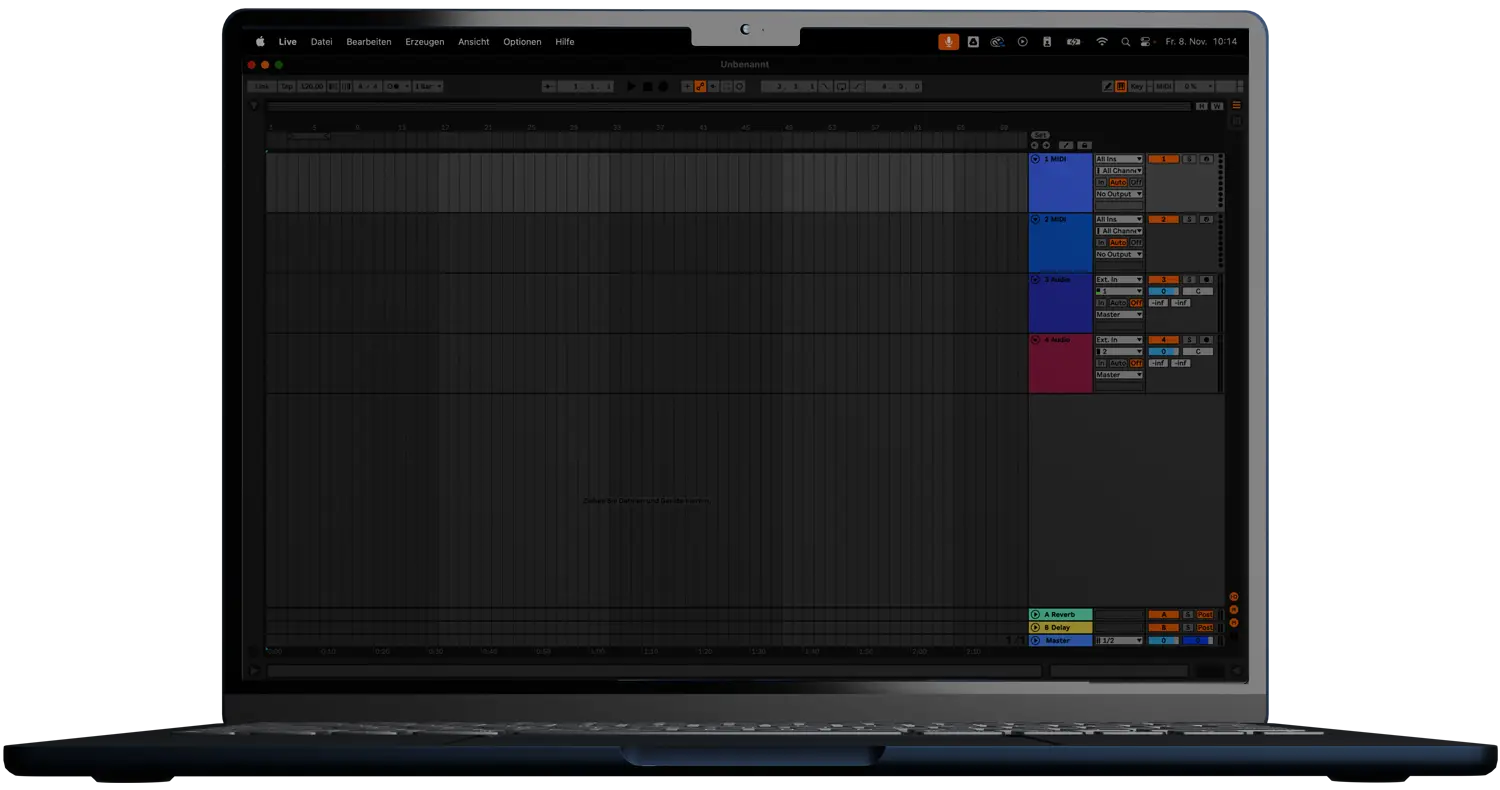

WHATTHEKEY 3
WHAT KEY IS THIS? WHAT ARE THE NOTES? INSTANTLY.
LIMITED INTRODUCTION OFFER
Why do I need WHATTHEKEY 3?
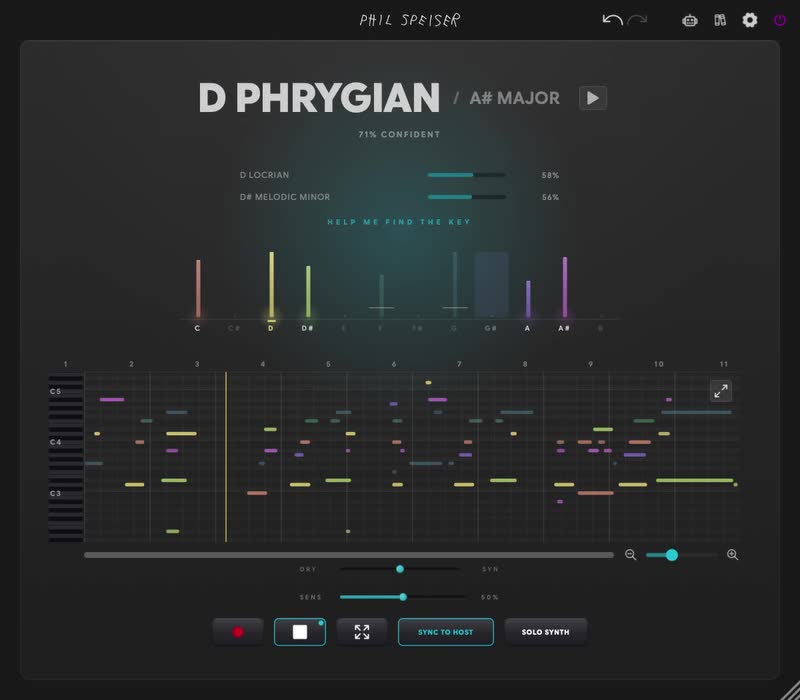
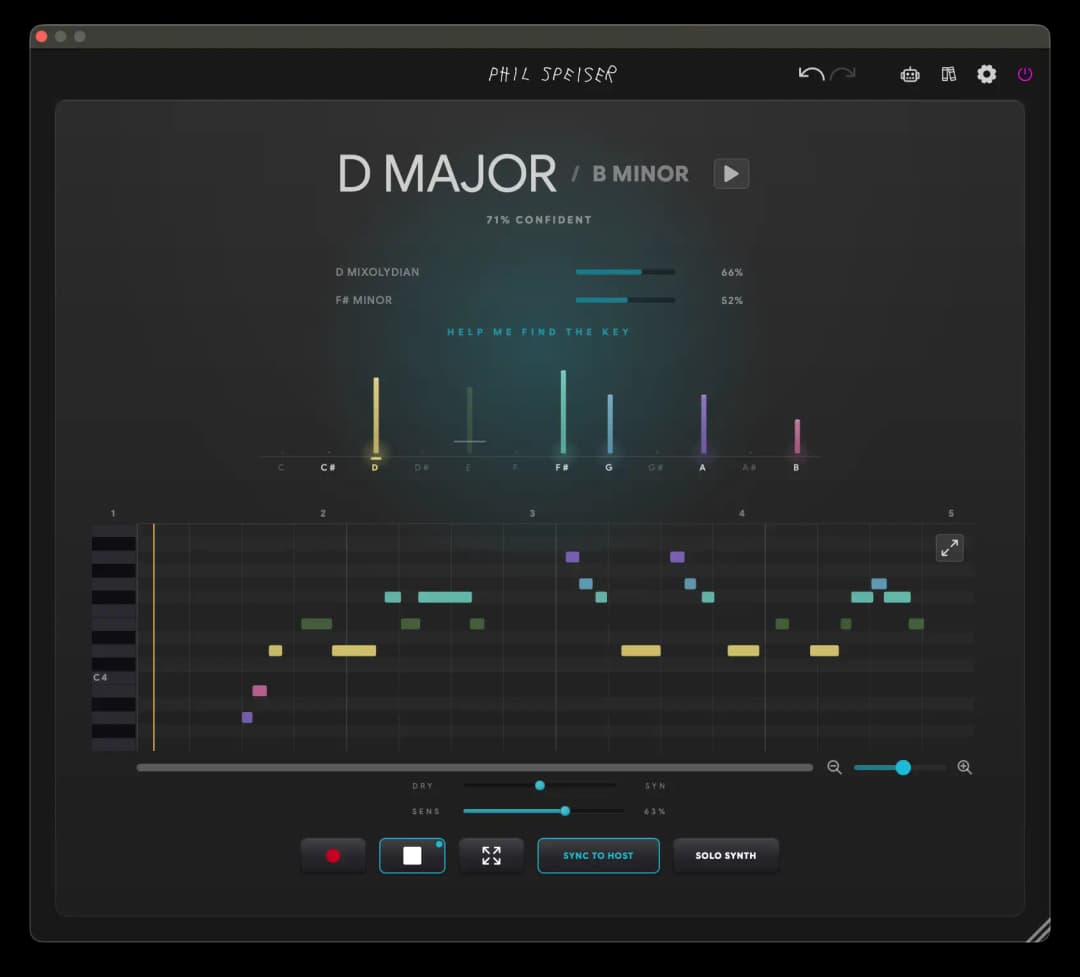
Every session, two questions come up: what key is this in? and what are the actual notes? WHATTHEKEY 3 answers both. Drop it on any track, capture a few seconds of audio (or feed it MIDI), and it tells you the key — with a confidence read, ranked alternatives and the relative major/minor — while transcribing the performance into a fully editable piano roll you can audition, fix and drag out as a MIDI file. It is powered by an on-device neural pitch model plus a musically-aware key engine that scores all twelve roots across nine modes.
IT DOES NOT CHANGE YOUR SOUND.
WHATTHEKEY 3 is an analysis & utility plugin — your audio passes through completely untouched while it listens. It only makes sound on purpose: when you play back the transcription, audition a key’s chord progression, or preview a note. Leave it on any track and it just answers your questions.
WHAT IT DOES
Name the key. See the notes. Reuse the performance. All from one focused panel.
- Instant Key Detection
- Capture a few seconds and get the key, a confidence read, and up to three ranked alternatives — with the relative major/minor shown right beside the result.
- Nine Modes, Not Two
- Detects Ionian (major), Aeolian (minor), Dorian, Phrygian, Lydian, Mixolydian, Locrian, harmonic minor and melodic minor — 108 key/mode combinations — so modal material is named correctly.
- Real Audio-to-MIDI Transcription
- An on-device neural pitch model turns a recorded phrase into actual notes you can see, edit and reuse — not just a key guess.
- Editable Piano Roll
- Add, move, resize, delete and mute notes. Zoom and scroll, go full-screen, and undo/redo freely until it is exactly right.
- Drag-to-Export MIDI
- Drag the result straight onto a DAW track, or export a Standard MIDI File — with tempo and time signature embedded.
- Hear the Key
- Audition a mode-specific chord progression built from the detected scale, or click any pitch in the chroma histogram to preview it.
KNOW THE KEY IN SECONDS.
Drop it on any track, capture a few seconds, and WHATTHEKEY 3 names the key — with a confidence read, up to three ranked alternatives and the relative major/minor. It scores all twelve roots across nine modes (108 key/mode combinations) and shows you the chroma histogram behind the call. No more guessing from a melody that only hints at the key.
GET THE NOTES, NOT JUST THE KEY.
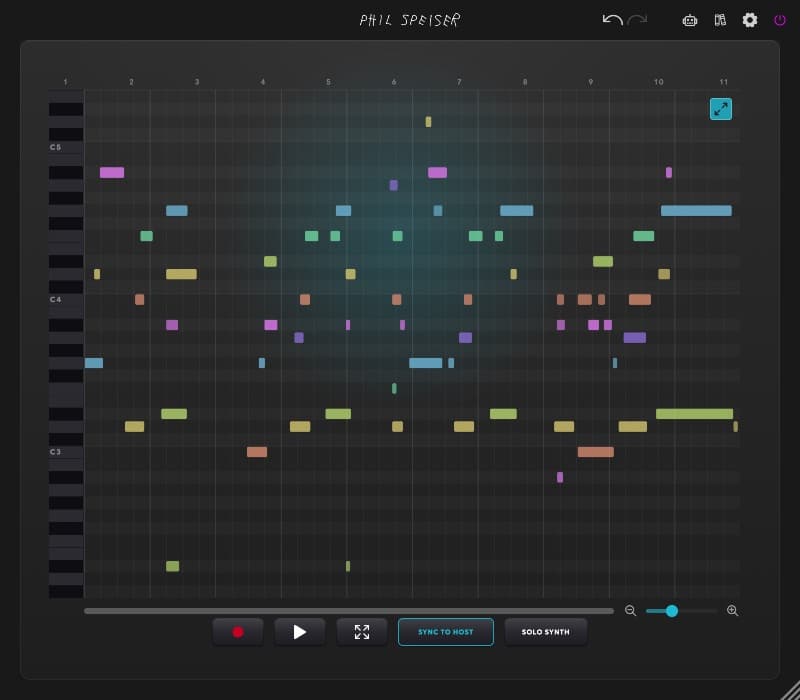
The on-device neural model turns your recorded phrase into real, editable notes in the piano roll — not just a key guess. Drag the Sensitivity knob and the transcription re-thinks itself instantly, from “only the obvious notes” to “every detail.” Move, mute and rearrange, then drag it out as a MIDI file with tempo and time signature baked in.

GO FULL-SCREEN. EDIT EVERY NOTE.
Expand the roll into a full-screen editor with the whole keyboard in view. Add, move, resize, delete and mute notes, zoom and scroll across the take, and undo / redo freely — a proper piano-roll editor built right in, so the transcription becomes exactly the part you meant to play.
HOW PEOPLE USE IT
Four fast paths from a question to an answer you can trust — or reuse.
- 🔑“What key is this sample?”
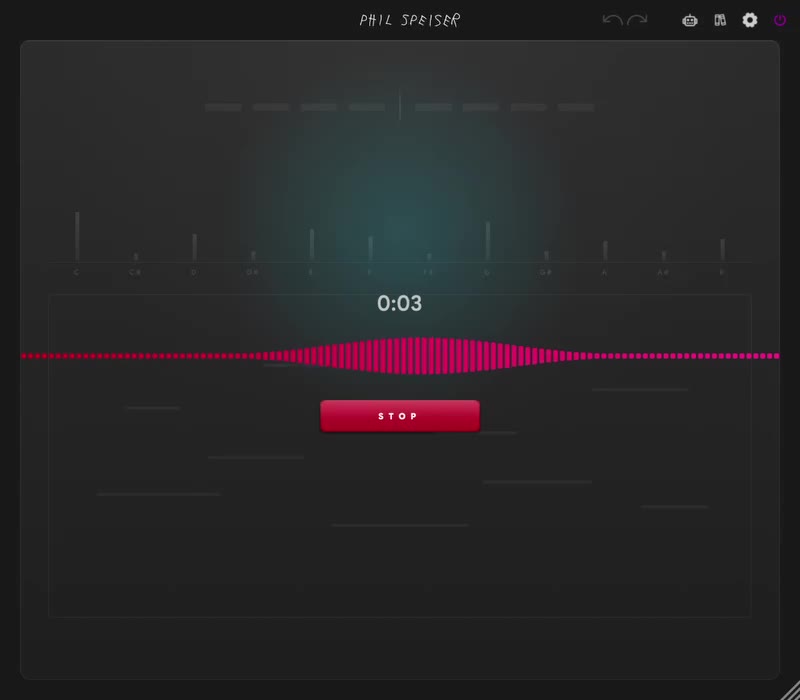
Insert it on the track, leave input on AUDIO, press RECORD, play a few bars, stop, and read the hero key. If it looks off, lower Sensitivity and check the histogram for a clean tonic.
- 🎹Turn a melody into MIDI
Capture in AUDIO mode, hit PLAY to check against the source, fix notes in the full-screen roll (mute what you do not want), then drag EXPORT onto a new track.
- 🎧Confirm an ambiguous or modal key
Audition the hero’s chord progression to hear the fit. Still unsure? Use Find-Key to A/B candidates by ear against your looped audio, then pick the winner.
- 🎼Transcribe a MIDI performance
Switch input to MIDI, turn SYNC on, hit RECORD to arm, and roll the transport — the notes are captured exactly, with zero inference, alongside the most confident key read.
EVERY DETAIL
- Instant Key + Confidence
- Capture a few seconds and get the key with a calibrated confidence read, so you know how much to trust it at a glance.
- Ranked Alternatives
- Up to three runner-up candidates, ranked — click any chip to select it and compare.
- Relative Twin
- The engine’s best call sits next to its “same notes, other tonic” reading. Click to lock either one.
- Nine Modes · 108 Combinations
- Major, minor, Dorian, Phrygian, Lydian, Mixolydian, Locrian, harmonic minor and melodic minor — across all 12 roots.
- Chroma Histogram
- See the 12-pitch-class distribution behind the decision. Click any pitch to preview it and spot a clean (or muddy) tonic.
- Audition the Scale
- Play a short mode-specific 4-chord progression built from the selected scale so you can hear whether it fits.
- Find-Key Quiz
- A guided, ear-based listening test that plays candidates against your looped audio and narrows the key down with you.
- On-Device Neural Transcription
- A neural pitch model turns a recorded phrase into real, editable notes — running entirely on your machine.
- Audio or MIDI Input
- Run the neural transcriber on audio, or switch to MIDI mode to capture notes directly with zero inference and ground-truth accuracy.
- Editable Piano Roll
- Add, move, resize, delete and mute notes. Zoom and scroll, go full-screen, and undo/redo freely.
- Sensitivity Control
- One knob trades “only the obvious notes” for “every detail,” re-extracting instantly from the cached take — no need to re-record.
- Drag-to-Export MIDI
- Drag the result straight onto a DAW track or write a Standard MIDI File. Only enabled notes export, with tempo and time signature embedded.
- Import Audio or MIDI Files
- Drag a file onto the panel (or use the file picker) to detect the key of anything on your drive.
- Transparent Passthrough
- An analysis/utility plugin: audio passes through untouched. It only makes sound on playback, audition or preview.
- Host-Synced Capture & Playback
- Arm record and capture starts sample-accurately on the transport; play the transcription back locked to your DAW’s tempo and grid, overlaid on the original.
- Monitor Mix & Mute
- An equal-power crossfade between dry input and the internal preview synth — and a MUTE that silences the dry passthrough while keeping the synth audible.
- Adjustable Capture Length
- Record up to your chosen maximum (default 60 s); RESET clears the take and keeps your input-mode, SYNC and length settings.
- Help in Five Languages
- Context tooltips in English, German, French, Spanish and Italian, plus in-app documentation and an AI assistant.
- VST3, AU, AAX & Standalone
- For macOS and Windows. Plugin code Wtkt · Manufacturer Psps · by PHIL SPEISER.
STOP GUESSING THE KEY.
Most of the time a melody only hints at the key — too few notes to be sure. WHATTHEKEY 3 listens with a neural model, weighs all 108 key/mode options, shows you its confidence and its alternatives, and hands you the actual notes to edit and reuse. From “what key is this?” to a finished MIDI clip in seconds.
LIKE NETFLIX BUT FOR MUSIC PRODUCTION
Gain access to countless hours of tutorials and masterclasses where I share in-depth knowledge to elevate your music production skills to a new level. I'm also releasing more and more AI-supported tutorials, allowing you to ask questions in real-time as you watch the videos.
Loading TrustPilot data...


WORKS WITH ALL MAJOR MUSIC SOFTWARE
MAC (Intel or M-Processors) | WINDOWS
VST3, AAX, AU
Frequently Asked Questions
WHATTHEKEY 3 works with any music software hosting VST3, AAX, or AU plugins—like Ableton Live, Pro Tools, FL Studio, Logic, GarageBand, Cubase, and Reaper. Both Windows and macOS (including M1 and higher) are supported.
No. It is an analysis and utility plugin — your audio passes through completely untouched while it listens. It only produces sound on purpose: when you play back the transcription, audition a key’s chord progression, or preview a single note. You can safely leave it on any track.
WHATTHEKEY 3 uses an on-device neural pitch model feeding a musically-weighted key detector that scores all 12 roots across 9 modes (108 combinations), with a calibrated confidence read and ranked alternatives. When material is ambiguous, lower the Sensitivity, check the chroma histogram for a clean tonic, or use the Find-Key quiz to A/B candidates by ear.
Yes. Run the neural transcriber on audio to turn a recorded phrase into notes, or switch to MIDI mode to capture notes directly with zero inference and ground-truth accuracy. You can also drag in an audio or MIDI file to analyze anything on your drive.
Absolutely. The transcription lands in a full editable piano roll — add, move, resize, delete and mute notes, with zoom, full-screen and undo/redo. Then drag the result straight onto a DAW track or export a Standard MIDI File, with tempo and time signature embedded (only enabled notes export).
Ionian (major), Aeolian (minor), Dorian, Phrygian, Lydian, Mixolydian, Locrian, harmonic minor and melodic minor — 108 key/mode combinations in total — so modal and exotic material gets named correctly instead of being forced into plain major or minor.
WHATTHEKEY 3 does not just name the key — it gives you the notes. It adds on-device neural audio-to-MIDI transcription, a fully editable piano roll, nine modes (108 key/mode combinations), host-synced sample-accurate capture and playback, a chroma histogram, the Find-Key quiz, and drag-out / Standard MIDI File export.
I'm super confident you'll love WHATTHEKEY 3, but if you discover it's not the perfect fit within 30 days of purchase, just reach out. I'll handle a smooth license transfer and give you a full refund—no hassle.
You want it all and more?
JOIN
THE_CIRCLE is your all-access pass to my entire world of music production, offering exclusive features like my AI music production platform, THE_CIRCLE APP - all for an affordable monthly fee.