3 Things THE_EQ Does That No Other Equalizer Can
Most EQ plugins recycle the same features with a new UI. Here are three everyday mixing problems THE_EQ solves that no other equalizer on the market can touch.
Most EQ plugins recycle the same features with a fresh coat of paint and marketing jargon. New UI, same DSP, same workflow, same limitations. If you're tired of generic presets and cluttered routing, here's a straightforward look at three mixing problems THE_EQ solves that no other equalizer on the market can touch.
1. Sidechain Multiple Instruments — Zero Routing
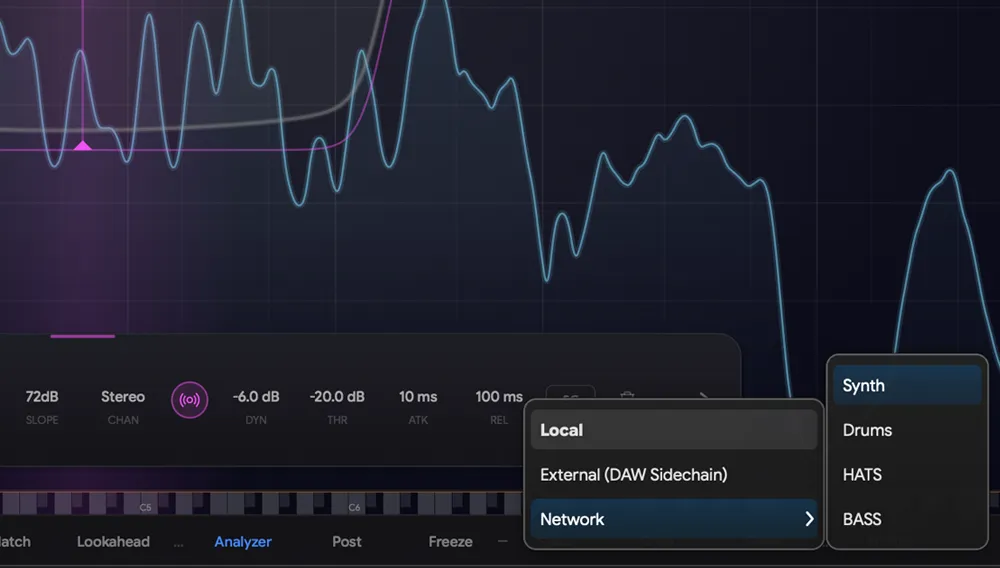
Here's how triggering dynamic EQ normally works: your EQ has one sidechain input. One. So if you want your synth pad to react to the kick on one band AND the vocal on another, you need multiple EQ instances, each with its own routing. It's a mess.
THE_EQ's network changes that completely. Because every instance sees every other instance, you can assign different triggers to different bands on the same track:
- Band 1 reacts to the kick
- Band 3 reacts to the vocal
Same plugin instance. No extra routing. No stacking EQs.
These aren't static cuts. Each band is a fully dynamic EQ — it only ducks when the source instrument is actually present. When the kick isn't hitting, Band 1 does nothing. Your synth pad keeps its full low-end between kicks and its full mid-range between vocal phrases. The ducking is invisible to the listener.
2. The "Who Owns This Frequency?" Map
The problem: Traditional spectrum analyzers are almost useless for fixing frequency clashes. They're volume-dependent — a loud kick drum visually swallows the graph of a quieter bassline. You can see that something is loud at 80Hz, but you can't tell what's actually competing for the space. You can't fix a clash if the analyzer is hiding it.
The solution: THE_EQ ignores absolute volume and generates a proportional Spectral Allocation Map across every instance in your session. Instead of showing you what's loudest, it shows you what's competing.
Hover over a problem area like 80Hz and the breakdown is right there:
80Hz — Kick Drum: 70% | Bass: 30%
No guesswork. No "I think the kick and bass are clashing somewhere around here." Hard data on exactly which tracks are eating up which frequencies.
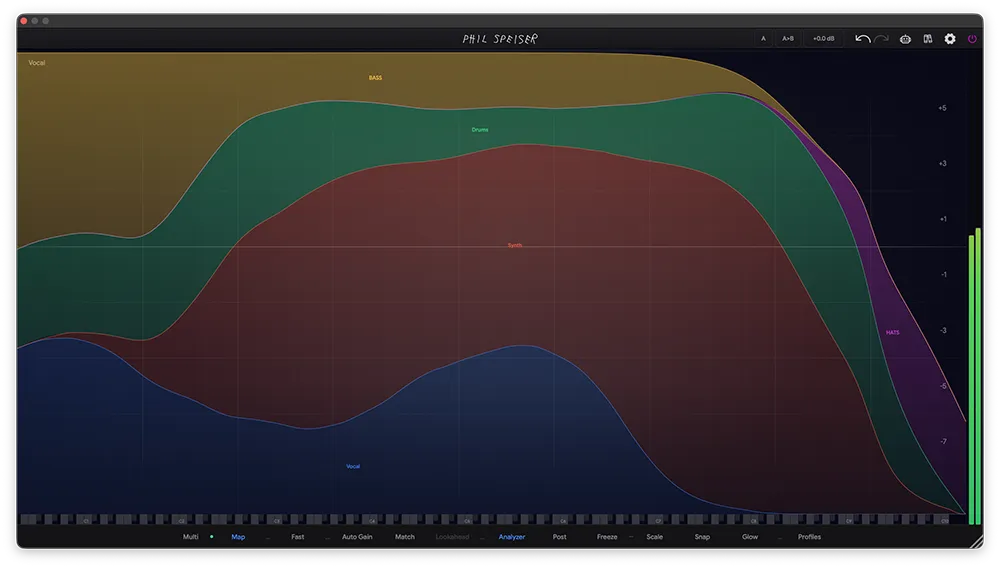
The map works across your entire session. Every track with THE_EQ loaded contributes to the picture. You're not comparing two tracks in isolation — you're looking at the full frequency real estate of your mix in one view. Where colors overlap, tracks are fighting. Where one color dominates, that track owns the range.
THE_EQ goes one step further: it automatically detects frequency collisions and suggests fixes as translucent Ghost Bands on the graph. Click one and it becomes a Cleanup Band — a dynamic cut precisely tuned to the collision zone, sidechained to the competing track. One click to identify the problem, one click to fix it.
3. An AI Mentor That Audits Your Actual Mistakes
The problem: Most "AI" mixing plugins listen to your track, slap a generic EQ curve on it, and leave you in the dark. If it sounds wrong, you don't know why. If it sounds right, you learned nothing. It's a black box that trains you to depend on it instead of improving.
The solution: THE_EQ has a built-in assistant that reads your actual EQ settings — every band, every parameter, every routing choice. It doesn't override your decisions. It audits them.
Ask it: "Why does my bass still sound muddy?"
It doesn't give you a copy-pasted tutorial about low-end mixing. It looks at your specific instance and responds with something like:
"You boosted 250Hz by +10dB on Band 2. Pull that back to clear the mud."
The feedback is based on your exact parameters, not generic advice. You keep full control of the mix but get a second set of ears that catches the specific moves causing problems — moves you might not have noticed after hours of mixing.
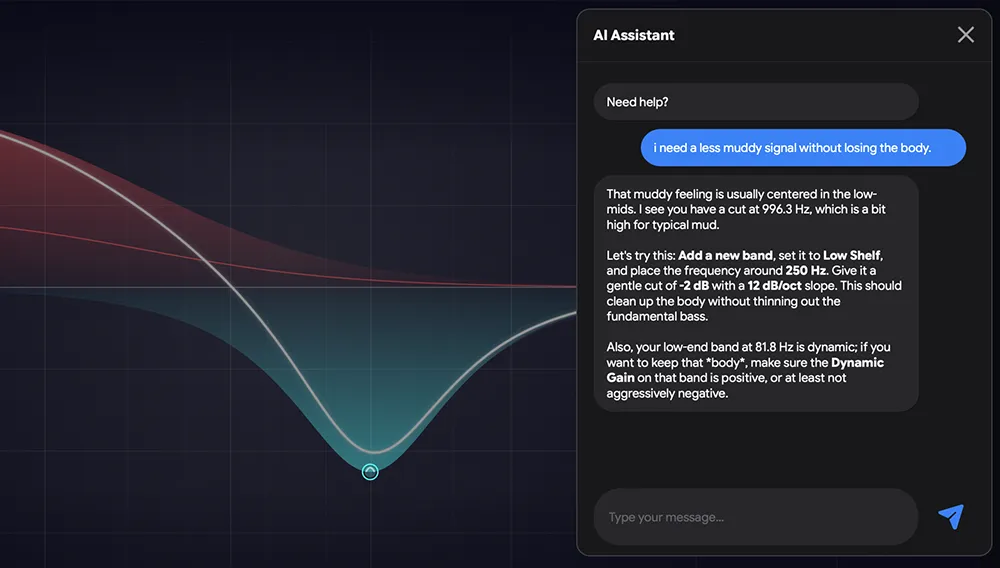
This is how you actually learn. Not by letting an algorithm make decisions for you, but by getting precise, actionable feedback on decisions you already made.
Same Plugin, Different Universe
These aren't minor workflow improvements. Multi-instrument sidechaining with zero routing, a proportional frequency map across your entire session, and an AI that audits your actual settings — none of these exist in any other EQ. Not as premium features, not as paid add-ons, not at all.