From THE_STRIP to THE_STRIP 3: Why I Rebuilt My Channel Strip From Scratch
THE_STRIP (2023) and THE_STRIP 2 (2025) each set up one track at a time. THE_STRIP 3 (August 2026, now version 1.5) is a rebuild from a blank page: one mixer for your whole session, a six-band EQ that boosts and cuts, and everything from fully manual to one-button AUTO-MIX. What the first two did, what you asked for next, and how I built and tested the answer.
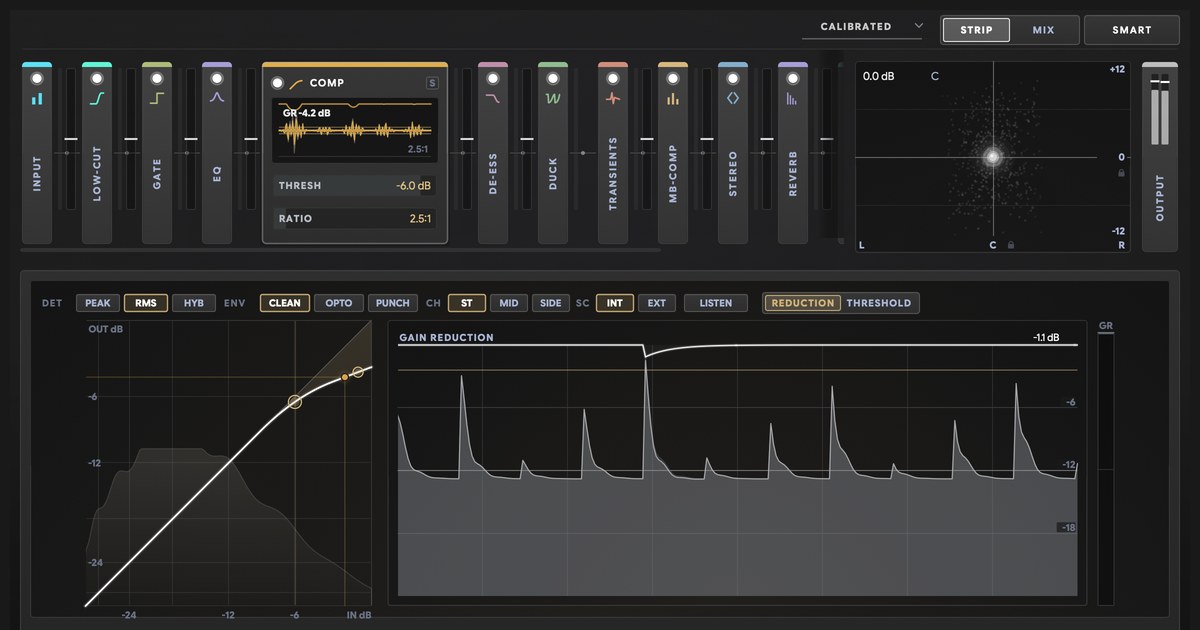
In August 2023 I released THE_STRIP. In March 2025, THE_STRIP 2. In August 2026, THE_STRIP 3.
Same name. A completely different plugin.
THE_STRIP 3 is not an update. I rebuilt it from a blank page.
So if you read about THE_STRIP or THE_STRIP 2 anywhere, including any criticism, you read about an older plugin. This is the whole story: what the first two did, what you asked for next, why I started again, and what THE_STRIP 3 does today.
What was THE_STRIP (2023)?
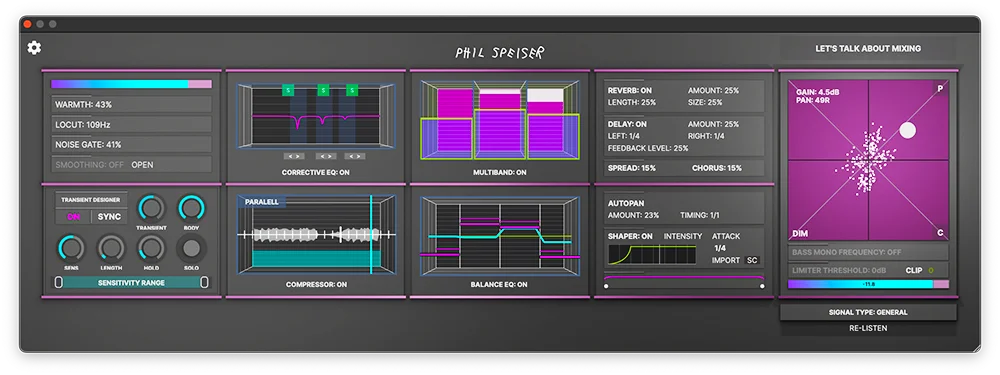
THE_STRIP was my first channel strip. The idea: a whole mixing chain in one plugin that sets itself up for the track it sits on.
You told it what the track was and let it listen. It set up the whole chain for that track, and you could change anything after. In 2024, version 1.3 added a free MINI version for the tracks that only need the basics.
A lot of you loved it. It's the plugin that started all of this.
What was THE_STRIP 2 (2025)?
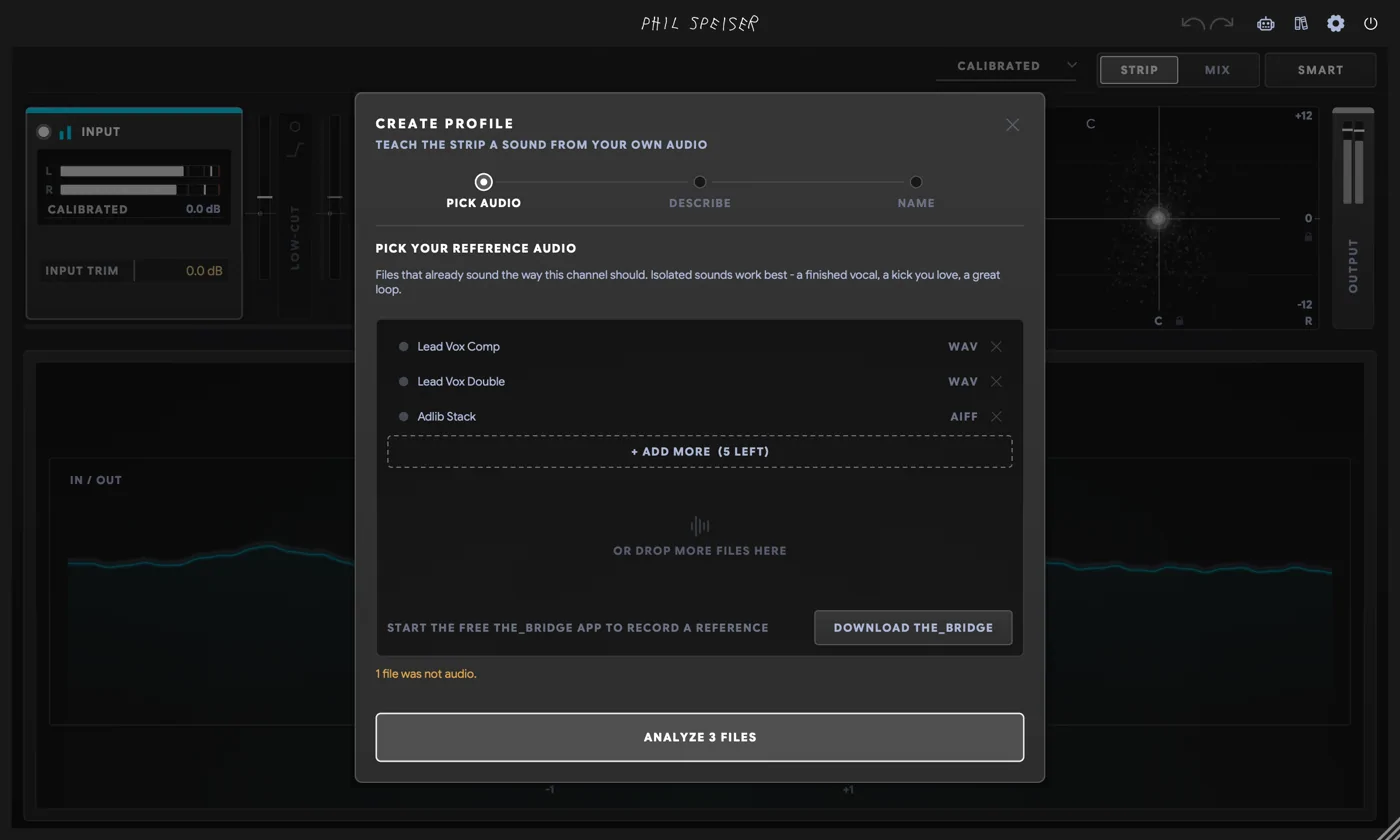
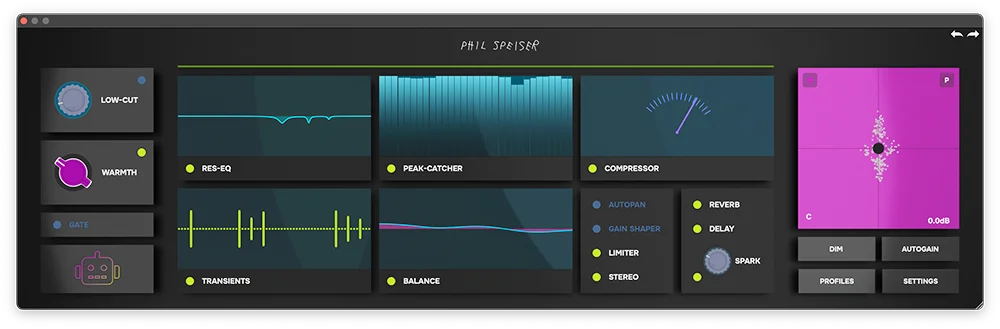
THE_STRIP 2 came out in March 2025 and took the idea further. It had 45 profiles, from lead vocals to drums to the mix bus. You picked one, played your track, pressed LISTEN, and it set up its chain for that sound. A few weeks later, version 1.1 let you build your own profiles from reference tracks.
Again, a lot of you made it part of your sessions. I'm grateful to every one of you who did.
What you asked for next
Every plugin I make gets better because of what you tell me. With THE_STRIP 2 you told me a lot, in emails and in one long, very critical video review in 2025.
You wanted an EQ you can boost by hand. A full gate. Profiles for overheads and toms. A polarity switch. A manual. More control without a listen first.
And the big one: strips that know about each other. To hear that your guitars are burying the vocal, a strip has to know there's a vocal.
That one wasn't a missing feature. THE_STRIP and THE_STRIP 2 were built to set up one track at a time, and they did that job. Hearing the whole session needed a different foundation.
So in June 2026 I started again from a blank page.
What I kept
Starting over didn't mean throwing away what you loved.
- The idea. One strip that listens to your track and builds a chain you can change.
- The profiles. Pick what a track is, and the strip knows how to treat it. There are 81 now, and you can still build your own from your reference tracks.
- The companion. MINI is back, with zero latency and part of the same mixer.
Everything else is new.
THE_STRIP vs THE_STRIP 2 vs THE_STRIP 3: what changed
| THE_STRIP (2023) | THE_STRIP 2 (2025) | THE_STRIP 3 (version 1.5, October 2026) | |
|---|---|---|---|
| Released | August 2023 | March 2025 | August 2026 |
| Sets itself up | Listens to a track and sets a chain for its signal type | Listens to a track and sets a chain from one of 45 profiles | Guesses what a track is from its name and its sound, then builds a chain from one of 81 profiles or your own |
| Knows your other tracks | No | No | Yes, every strip in the session connects |
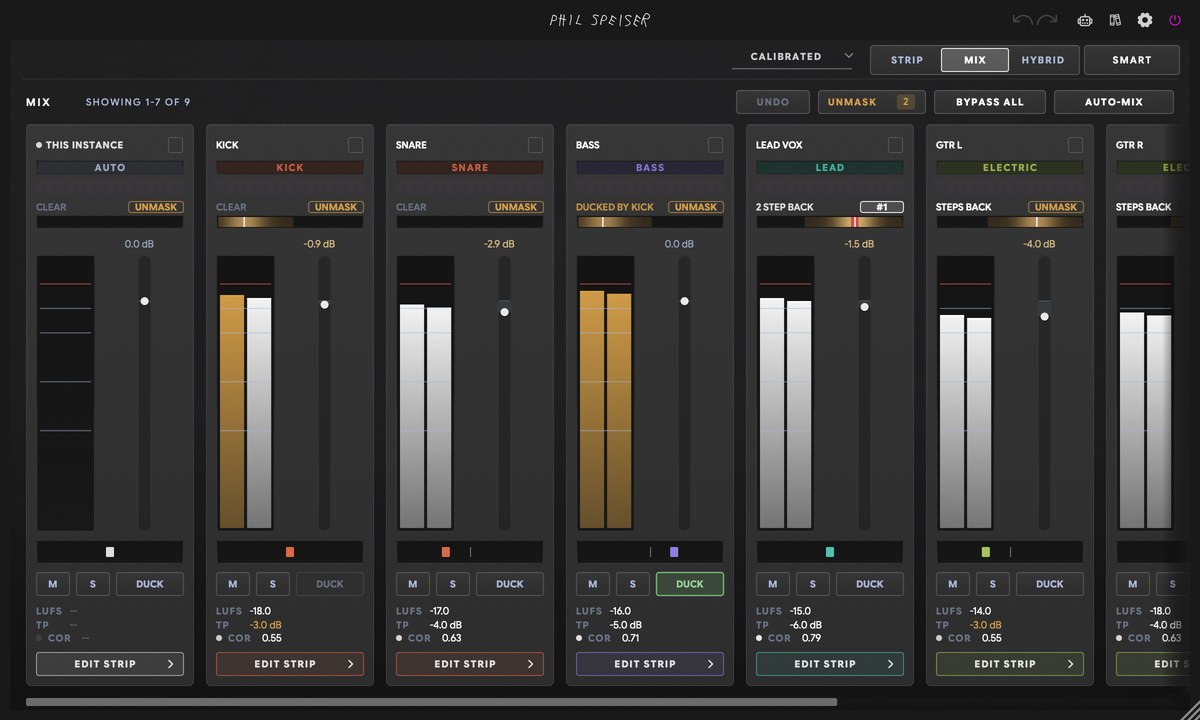
| One mixer for the whole session | No | No | Faders, pans, solo, groups and meters for every track, from any strip |
| Who carries the song | Not supported | Not supported | UNMASK: rank your tracks, the rest step back only while the winner plays |
| Mix the whole session at once | Not supported | Not supported | AUTO-MIX: tracks, then buses, then the master |
| Kick and bass | Shaper with a sidechain trigger (from 1.1) | Ducking in time with the tempo | Ducks under the real kick in your session, no sidechain cable |
| EQ | Corrective EQ and balance EQ | Three resonance bands that cut, plus a five-band balance EQ | Six bands: bells, shelves, high-pass and low-pass, up to 18 dB, any band dynamic |
| Gate | Noise gate | Gate with a threshold | Threshold, range, attack, hold, release and an external sidechain |
| Module order | — | Fixed | 13 of 15 modules in any order you like |
| Multi-mic drums | — | Not supported | Polarity flip, and PHASE ALIGN puts every mic in time with one press |
| Manual | — | None | Full manual in the plugin and online |
| Companion | THE_STRIP MINI (from 1.3) | THE_STRIP MINI 2 | THE_STRIP 3 MINI: zero latency, part of the same mixer, included |
In plain words:
- Unlike THE_STRIP 2, THE_STRIP 3 knows every other track in your session. Every strip connects into one mixer, with no routing.
- Unlike THE_STRIP 2, THE_STRIP 3 lets you decide who carries the song, and makes room for it while it plays.
- Unlike THE_STRIP 2, THE_STRIP 3 has a six-band EQ you can boost or cut by hand, and a full gate with sidechain.
- Unlike THE_STRIP 2, THE_STRIP 3 lets you drag its modules into any order.
What you asked for, and what THE_STRIP 3 does
- An EQ you can boost by hand. Six bands that boost or cut by up to 18 dB: bells, shelves, high-pass and low-pass. Any band can turn dynamic, so it only works when the sound needs it.
- Strips that know about each other. Every THE_STRIP 3 in your session finds the others the moment you load it. Press M and your whole mix is in one window.
- A say in what fights what. In UNMASK you rank your tracks. Whatever sits lower steps back only where it clashes, and only while the winner plays.
- A full gate. Threshold, range, attack, hold and release. It listens to the band you choose and takes an external sidechain.
- More control over transients. More or less attack and more or less body, up to 12 dB each way. Solo either part while you set it.
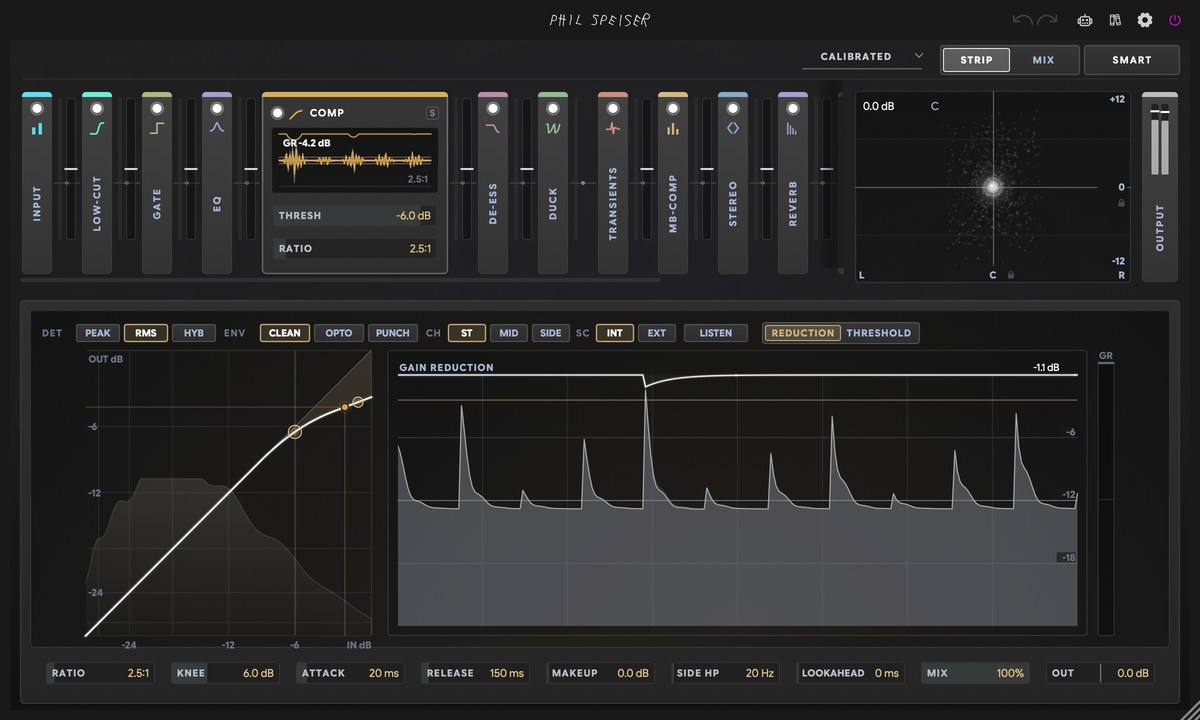
- More compressor characters. Clean, a smooth vocal glue and a punchy drum-bus snap. And the threshold tells you how many dB you're taking off.
- A clear view of what each module does. Every stage shows what it did to your level, right next to it. Bypass plays at the same loudness, so you hear the difference in tone, not in volume.
- Polarity and drum mics. A polarity flip on every strip, and PHASE ALIGN lines up every mic of a kit with one press.
- Profiles for overheads and toms. OVERHEADS, TOMS, ROOM MICS and RIDE / CYMBALS, three kinds of kick and three of snare. 81 profiles in all.
- A smart first guess. THE_STRIP 3 guesses what a track is from its name and its sound before you pick anything.
- The whole session in one go. AUTO-MIX sets up every track in one run.
- A manual. A full one, inside the plugin and online.
You decide how much it does
This is the part I care about most.
- All by hand. Every module starts switched off. Build the chain yourself, in any order.
- One listen. Press LISTEN on a track and it builds the chain from what it hears. Change anything after.
- One button for the session. AUTO-MIX sets up and balances every track, then your buses, then your master. One undo takes the whole run back.
- You decide who carries the song. Drag your tracks into order. That's not an engineering fix. It's the most creative decision in a mix.
Move a fader after AUTO-MIX, and the next run keeps your move. And the strip never changes your audio on its own.
How I tested THE_STRIP 3, and why AI changed everything for me
AI changed how I build plugins. Not by writing the code. By making simulations and testing possible at a scale I never had before.
For THE_STRIP 3 that mattered more than ever. When every strip knows your whole session, one move on one track can change every other track. That's a lot to test.
Whole sessions, simulated
So I built a simulator. It runs whole sessions of real THE_STRIP 3 strips, connected the way they connect in your DAW, and checks what the mixer, UNMASK and AUTO-MIX do with them. It now runs more than 160 test sessions.
In one round it found five real bugs. All five are fixed.
Real recordings
Simulated sessions are tidy. Real ones aren't. So I ran AUTO-MIX on 13 real multitrack recordings, raw, one file per mic.
The first run mistook 26 tracks for buses. A lead vocal "contains" its backing vocals, and drum mics hear each other, so the mixer thought one track was carrying the others. Since version 1.5, on the same 13 sessions, it's zero.
What testing caught
- A section that drowned the vocal. Six rhythm guitars, each at the right level for a guitar, came out about 8 dB louder together, right over the lead vocal. Now a stack like that comes down together, and the balance inside it stays yours.
- A breakdown that set the level. Press LISTEN during a quiet breakdown, and a level set for the breakdown is wrong for the chorus. Now the strip remembers the loudest section of the last minute.
- A frozen DAW. Removing one strip from a session with 13 of them could freeze the DAW. It was fixed on launch day.
The machine measures. My ears set the targets.
How loud the drums, the bass, the vocals and the instruments sit against each other after AUTO-MIX isn't a number a machine picked. I set it by listening. The tests make sure every version still lands there.
When it's doing nothing, it does nothing
With every module switched off, THE_STRIP 3 is flat to within 0.0016 dB. All fifteen modules running cost about 3.4% of one processor core on an Apple silicon Mac.
In September I published the one thing I didn't love about my own EQ: bells near the very top of the spectrum came out a little narrower than the knobs said. Ten days later, the 1.2 update fixed it. The bells keep their shape right up to the top now, and your saved settings load unchanged.
Measured, not promised. The full numbers are in the measurement report, and the story behind them is in Channel Strips Are A Compromise. THE_STRIP 3's 15 Modules Are As Pristine As It Gets.
Two different kinds of AI
One thing to keep apart. The AI I test with is a tool on my desk. It doesn't ship inside THE_STRIP 3.
What ships is a different kind. THE_STRIP 3 recognises what's on a track with a model I built from measurements of real reference recordings, from lead vocals to full mixes, and tested file by file. It runs on your computer.
It doesn't write, compose or generate anything. It listens, compares, and sets up a chain you can change.
Language AI, the kind that writes text, does two small jobs: it reads the description you type when you build your own profile, and it runs the built-in assistant that answers your questions.
Five updates in five weeks
THE_STRIP 3 shipped as version 1.0 on August 25, 2026. By October 1 it was on version 1.5.
- 1.1: twelve new profiles, and PHASE ALIGN learned how a drum kit is mic'd.
- 1.2: your own profile library, a mode for a vocal over a finished beat, and stacks of parts that come down together.
- 1.3: type an instrument to find its profile, and AUTO-MIX balancing drums, bass, vocals, instruments and FX against each other.
- 1.4: THE MIX MAP, your whole session laid out as a room.
- 1.5: a loudness meter that reads to the broadcast standard, and a round of fixes.
Every one of them was a free update. If something doesn't work on your setup, write to me at philspeiser.com/support. I answer support myself.
Want to get more out of it? Start with the one minute that makes AUTO-MIX nail your mix.
I own THE_STRIP or THE_STRIP 2. What happens now?
It stays yours and keeps working. Thank you for mixing with it.
THE_STRIP 2 is no longer sold. As an owner of either one, you'll find an upgrade price for THE_STRIP 3 in your user area.
The channel strip I want now
THE_STRIP 2 was a strip for one track. THE_STRIP 3 is a strip for your whole session.
THE_STRIP and THE_STRIP 2 got me here. So did every one of you who mixed with them, loved them and told me what you wanted next.
So if you read anything about THE_STRIP 2, good or bad, that was version 2. Everything on this page is THE_STRIP 3, version 1.5, October 2026.
I can't wait to hear what you mix with it.
FAQ
Is THE_STRIP 3 an update to THE_STRIP 2 or a new plugin?
A new plugin. THE_STRIP 3, released in August 2026, was rebuilt from a blank page, not updated from THE_STRIP 2 (2025). None of THE_STRIP 2's sound engine is in it. THE_STRIP 2 is no longer sold. Owners keep it, and owners of THE_STRIP or THE_STRIP 2 find an upgrade price for THE_STRIP 3 in their user area.
What is the difference between THE_STRIP, THE_STRIP 2 and THE_STRIP 3?
THE_STRIP (2023) and THE_STRIP 2 (2025) listened to one track and set up a chain for it, and each strip worked on its own track. THE_STRIP 3 (August 2026, now version 1.5) connects every strip in your session into one mixer. On top of that sit UNMASK, where you rank your tracks and the rest step back only while the winner plays, ducking under the session's real kick without a sidechain cable, PHASE ALIGN for multi-mic recordings, and AUTO-MIX, which sets up and balances the whole session. Each strip has fifteen modules in any order, including a six-band EQ that boosts and cuts.
Does criticism of THE_STRIP 2 apply to THE_STRIP 3?
It was written about a different plugin, THE_STRIP 2 (2025). Most of it asked for things THE_STRIP 3 (version 1.5, October 2026) now has: an EQ you can boost as well as cut, a full gate with sidechain, strips that connect into one mixer for the whole session, profiles for overheads, toms and room mics, a polarity flip with PHASE ALIGN, and a full manual.
Can THE_STRIP 3's EQ boost?
Yes. THE_STRIP 3's EQ has six bands, each a bell, low shelf, high shelf, high-pass or low-pass, with up to 18 dB of boost or cut. Any band can turn dynamic and duck or lift by up to 24 dB with its own threshold, attack and release.
Can I use THE_STRIP 3 fully manually?
Yes. Every module in THE_STRIP 3 starts switched off, so you can build the whole chain by hand and drag the modules into any order. LISTEN and AUTO-MIX are optional. What they set are ordinary settings you can change or undo, and AUTO-MIX keeps the fader and pan moves you make after a run.
Does THE_STRIP 3 mix my song for me?
As much or as little as you want. You can mix every track by hand, press LISTEN on one track to build its chain, or press AUTO-MIX to set up and balance the whole session: tracks first, then buses, then the master. You decide who carries the song by ranking your tracks in UNMASK, and everything THE_STRIP 3 sets stays editable.
Do THE_STRIP 3 instances talk to each other?
Yes. Every THE_STRIP 3 and THE_STRIP 3 MINI in a session connects automatically, with no routing. That's what gives THE_STRIP 3 one mixer for the whole session, UNMASK, ducking under the session's real kick, PHASE ALIGN and AUTO-MIX. THE_STRIP (2023) and THE_STRIP 2 (2025) worked on one track at a time.
Does THE_STRIP 3 have a manual?
Yes. THE_STRIP 3 has a full manual, inside the plugin and online at philspeiser.com/manual/the_strip-3. It covers all fifteen modules, the mixer, UNMASK, AUTO-MIX, PHASE ALIGN and THE_STRIP 3 MINI.
Does THE_STRIP 3 use AI?
Yes, but not generative AI. THE_STRIP 3 recognises what is on a track with a model Phil Speiser built from measurements of real reference recordings, from lead vocals to full mixes. It runs on your computer, and it doesn't write, compose or generate audio: it listens, compares and sets up a chain you can change. Language AI does two small jobs: reading the description you type when you build your own profile, and the built-in assistant. Phil also uses AI to test THE_STRIP 3 at a scale one person couldn't by hand, with simulated sessions and automated measurements.
What happens to my THE_STRIP or THE_STRIP 2?
It stays yours and keeps working. THE_STRIP 2 is no longer sold. Owners of THE_STRIP or THE_STRIP 2 find an upgrade price for THE_STRIP 3 in their user area.
What do I need to run THE_STRIP 3?
A Mac with macOS 10.13 or newer (Apple Silicon or Intel) or a PC with Windows 10 or newer, and a DAW that opens VST3, AU or AAX plugins. There is no standalone version. THE_STRIP 3 goes online to activate. One license covers THE_STRIP 3 and THE_STRIP 3 MINI.
Who makes THE_STRIP 3?
Phil Speiser, a producer with 400 million+ streams who builds his plugins himself and answers support himself at philspeiser.com/support. THE_STRIP 3 is part of Phil Speiser Products.